My Google Calendar Schedule
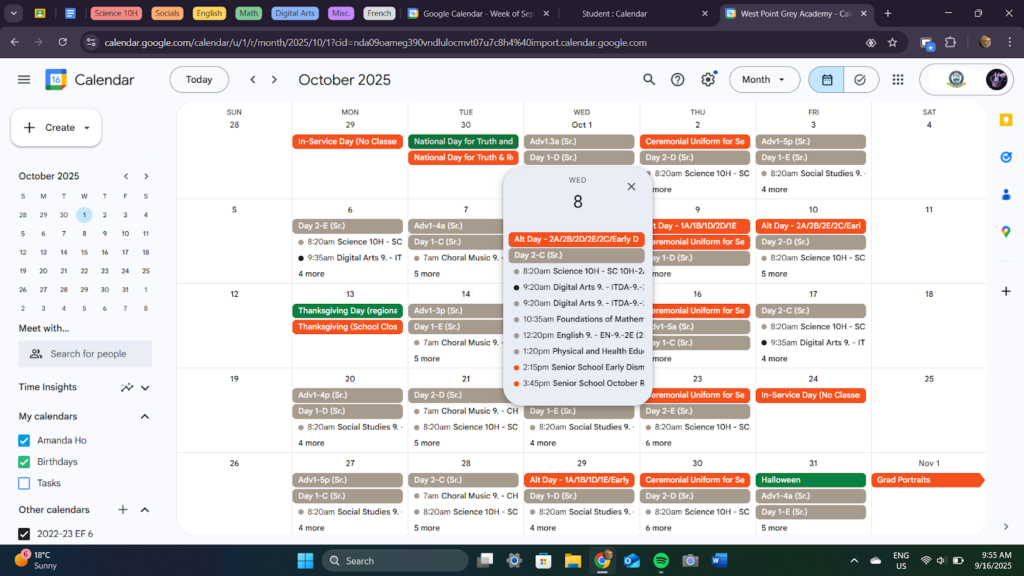
This is my google calendar. In class, we set up our wolfnet schedules inside of our Google Calendars so we could see them much more clearly and have it ready at any time. It’s very convenient.
My AI Exploration Unit
This was us getting good at AI in 2026 and doing research on 20 different things using it.
Gemini Certification
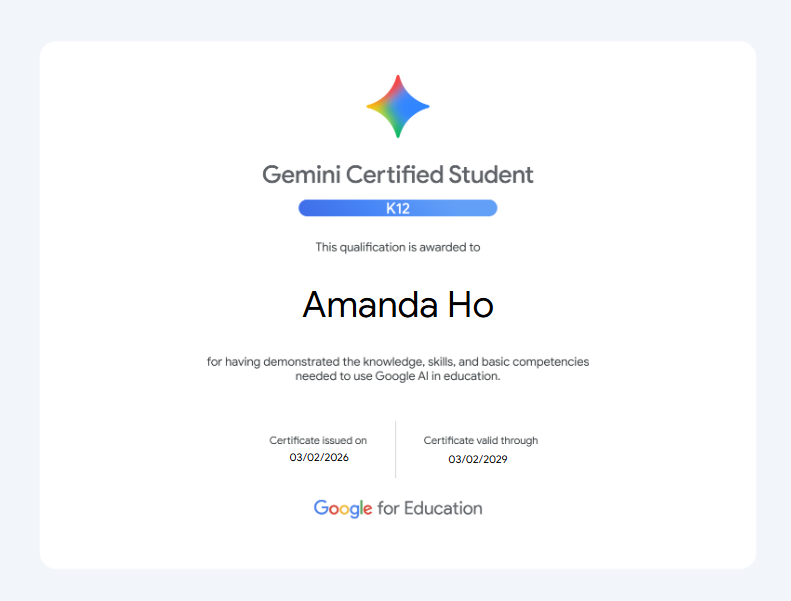
This is a certification of a student having completed a test on how to use AI to its full potential efficiently, effectively, and ethically. Those skills can be transferred to many other applications of AI as well, making it incredibly useful to do. Some topics included are: how to use different AI tools, how to structure your prompts, and how to use AI to give you ideas and not just think for you.
The content of this test was stuff I already know or things that aren’t so significant to me. I’ve been very exposed to AI over the years, and since people in my life like my teachers and parents are starting to adopt it into more everyday use, I know my way around it. But I can tell that to someone with less experience using AI or maybe with less exposure, this would be incredibly helpful for them. I think that everyone should at least do this once and I wish that I had done this sooner, because it would be much more helpful if I did it as an introductory course into AI instead of being thrown into it in grade seven.
Apple’s Visual Lookup
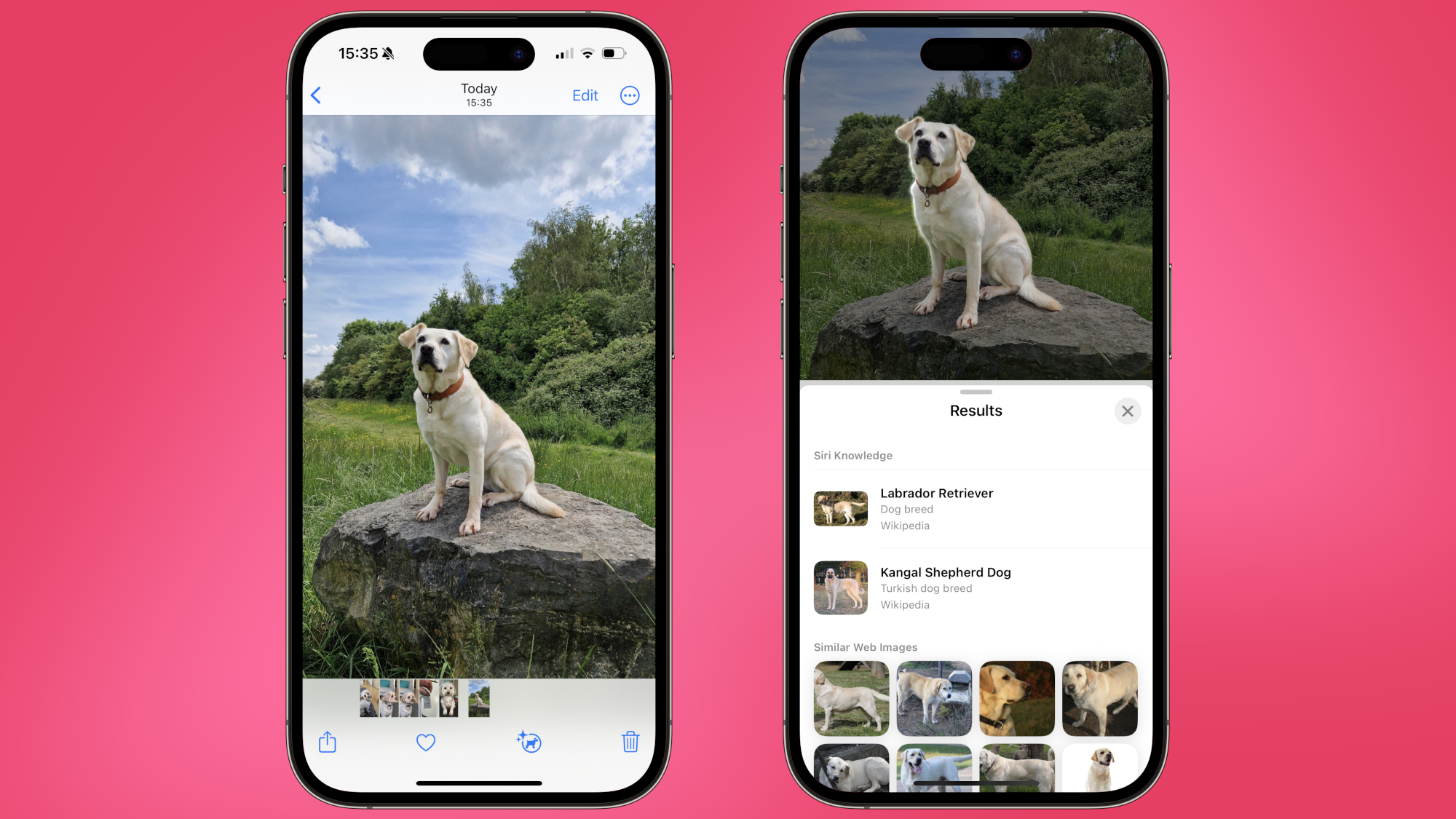
Visual lookup is an AI feature from Apple that allows you to scan a photo for landmarks, plant species, dog breeds, and more to identify them or give more information about them. It can also recognise text in an image and allow you to copy it directly to your device’s clipboard or identify food and give you a recipe for how to make it. To access it, you can press the “info” button with stars at the bottom of the menu of an image or paused video frame that’s in full screen (shown in photo above).
This is very interesting to me and I can imagine it being very useful in my regular, day to day life. For example, I’ve already used it to identify animals and plants I’ve taken pictures of, and I’ve copied text straight from my photos easily using this feature, saving time from me having to painstakingly write out every word manually. When I’m having a vacation and see different landmarks, I can imagine myself easily using it to gain some information on them and places of interest. I really like this feature, and I think it’s a great quality of life addition from Apple.

Spotify DJ
This is an AI powered feature from Spotify that talks with you using a realistic generated voice. It basically chooses songs for you that it thinks you’d like using your own listening history, kind of like a shuffle but spanning your entire music taste. It plays songs that you’ve been listening to recently, songs that you used to listen to but maybe less currently, and new songs that you’ve never heard before that it thinks you’ll like. It also adds transitions and fades to make it more realistic and immersive. As well, Spotify added a button that allows the DJ to switch up the vibe of what it’s giving you. Finally, it can adapt to any feedback given to personalize it more to your taste.
Despite the fact that this feature has now been out for three years, I haven’t used it before. So I decided to use it for an hour or two while doing this assignment, and my first impressions of it are just… okay. Spotify’s regular shuffle isn’t something I use often, and the DJ is, to me, a glorified shuffle that spans all of my playlists. The transitions honestly throw me off because of how I’m not used to them, but that’s very subjective. Mostly, this might be something that I use in the future if I just want background music that I don’t really want to think about, but I trust myself and my own playlists to give me the music I want to listen to more than Spotify’s DJ.
Ai Generated Music
With the rise of AI, there has also been a rise of AI generated music. Services like Suno have developed ways to turn a text prompt into actual music using artificial intelligence. It’s not just one genre, either. Jazz, pop, classical, etc. can just be generated with the click of a button. There’s also been a surge of AI generated music artists, using these websites to produce songs at a pace normal artists can’t. As well, it’s incredibly hard to really differentiate whether a song is AI or not because they sound quite similar, and most people aren’t able to tell.
The biggest worry I have with this is the concern of unethical training data. Namely, taking copyrighted songs to train AI models on. Also, I’ve noticed that Spotify sometimes recommends this type of music in their prompted playlists or smart shuffle, which is certainly interesting. Personally, I’ve listened to AI music and it’s kind of scary how realistic and similar it sounds to the real thing, and when a blend of AI and human elements are used in its production, it’s incredibly hard to figure out whether it has been used at all. I don’t know if I’d ever listen to AI generated music of my own accord, and I’m mostly just indifferent to it.
Duolingo Max
This is a level of subscription for Duolingo that includes two AI powered features, which are the ability to use “roleplay” and “video call”. Roleplay is a way to practice conversation skills, with prompts and challenges like discussing a future vacation or planning out a shopping trip. It also gives you AI generated tips and things you can improve on for the next session, as well as a rating of how accurate and complex the conversation was. Video call is where you can call one of the characters commonly used in lessons, Lily, and practice what you’ve learned in a conversation. It uses AI to actually have the character you’re speaking to respond back in real time, and it’ll remember what you’ve said and give a transcript so you can review conversations.
I think these features are really interesting! I like that you can actually interact with something in the language you’re learning to get better at it, and I think it would be incredibly helpful. Unfortunately though, it’s under a paywall. If it wasn’t, I could see myself using it a lot and I think I’d improve my language skills heavily with these two extra tools. I could see it being really useful for other people and their learning, too. But since it requires money that I don’t really want to pay for Duolingo, I’ll unfortunately not get a chance to actually try out or use the features. I wish it wasn’t, but there’s not really anything I can do about it. Good features overall, though.
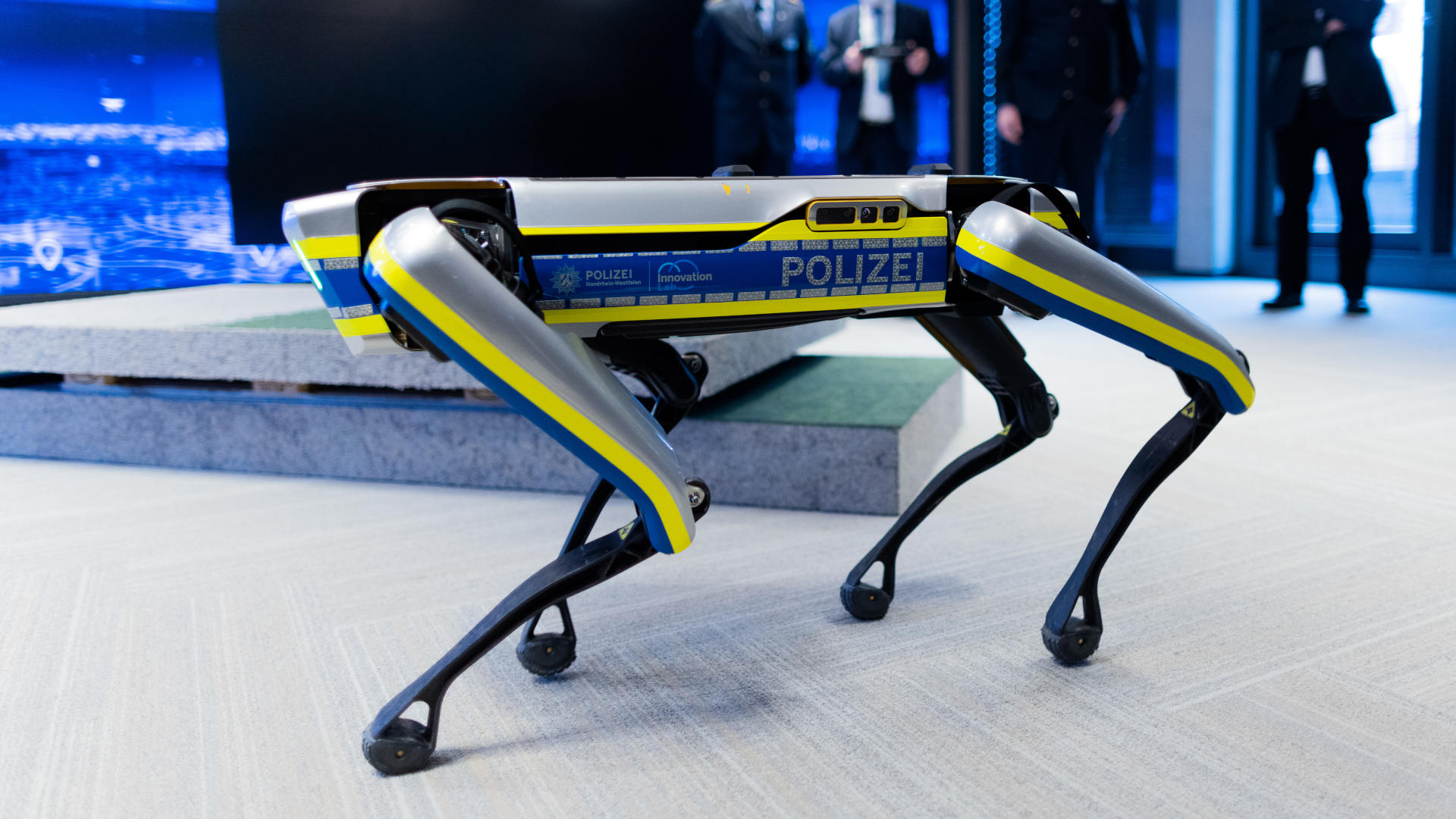
AI Use in Robot Dogs
Companies like Unitree are investing in creating robot dogs and using AI to teach them how to do tricks like upside-down walking and climbing over obstacles while being completely stable. They can do many things regular dogs can do, like following you on a walk even in rough terrain and do a variety of poses like jumping, sitting down, and stretching. They can also be customized with different mechanical parts and controlled using apps.
I think this is really interesting, and I can imagine a lot of different uses for them. People could use them as a replacement for an actual pet because they don’t need food or many resources. They could use them to learn robotics, or replace some manual labor. This has a lot of potential, and there are already many uses for them already, and I’m pretty excited to see where this invention ends up going in the future.

Anthropic Lawsuit
Anthropic, an AI company, refused to allow the American government unrestricted use of their tools for military purposes because of its worries of the government using them for mass surveillance and weapons. Because of their refusal, Trump labeled them as a supply chain risk and prohibited its use in the military and government. Instead, OpenAI signed a deal for the government to use their tools. This may have heavy consequences for Anthropic as a business, as some of their customers also work with the government. Anthropic has filed lawsuits against the US government and its facilities, and they’re still currently ongoing.
I feel like what’s worrying to me is what the US government wanted to use Anthropic’s AI tools on. Mass surveillance sounds like a large violation of privacy. Also, I don’t like the fact that the American government has so much power and influence. Even if I don’t live in the US and am not as affected by their policies and events, there are people I know who live there. Plus, we’re America’s neighbors.

AI Art Can't Be Copyrighted
In a lawsuit, courts ruled that art must be created by a human to be able to be copyrighted. Stephen Thaler, a computer scientist who created an image using his own generative AI model and failed to get it copyrighted, wants to appeal the ruling but the courts are dismissing his attempts every time. He’s still attempting to get the law appealed even today.
I do agree with the courts. As well, I don’t think AI art really needs copyright at all. Why would someone want to copyright something they generated in three seconds with a prompt? I honestly don’t see this affecting my life too much, even in the future. Mostly I use AI to give me ideas, not create something that I can pass off as my own.
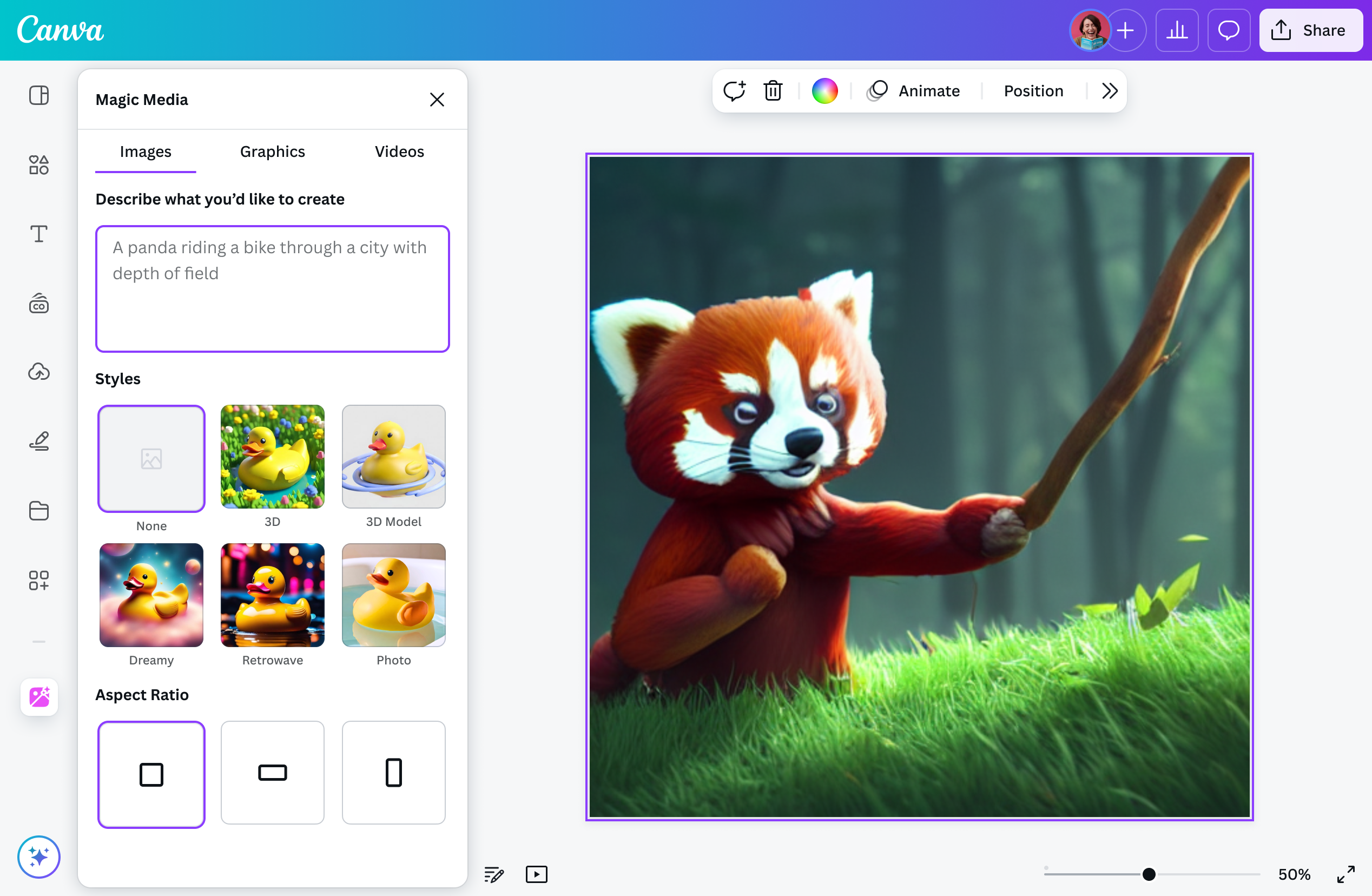
Canva AI
Canva has a built-in AI feature (Magic Studio) that has a lot of different uses. These include: image generation and template creation based off of a text prompt, generating text for documents like ChatGPT, ability to select and move subjects in an image, extending a background with AI, removing backgrounds, and resizing projects. There’s also an AI assistant that can give you feedback based on your work.
This is really useful. I’ve used some of these already, and these features are really helpful when you need a specific image edited or parts of it removed. As Canva is something I often use for assignments and creative projects, this could help me take my work to the next level and also help me along the process, without doing all the work for me.

AI Detectors
AI detectors are tools that identify whether or not something is written by AI by training their models using artificial intelligence. They advertise very high accuracy rates, but oftentimes this is completely wrong. Often, they can be inaccurate or even misleading at times, as they can flag false positives and negatives, which show they are not fully trustworthy. Despite this, schools and universities all around the world use these detectors to check whether a student has used AI or not.
Even at this school, we use AI detectors. I remember putting my English essays into Turnitin even in the Junior school. It did flag some of it as AI, likely because of some common phrases I used that it thought were plagiarized. It showed me some things that I could change to make my essay sound less generic, like some phrases I could alter. But even though it worked perfectly fine this time, I’m worried about how much trust we place in these detectors. If they show false positives, that could easily get students in trouble even if they didn’t do anything. Should we be using these if they’re inaccurate?

Quizlet AI
Quizlet is a language learning website that has some AI tools, including generation of study guides, flashcards, and practice tests off of a premade learning set. It allows students to put in handwritten notes to convert it into a learning guide as well. There used to also be an AI chatbot called Q-Chat that allowed for conversations about the material, but it was taken down as of June 2025. It could ask questions, use vocabulary in sentences, and respond in real time.
I really like these features. They could help with my understanding of material without doing my work for me and help me study for tests or my language classes. I wish the chatbot was still available though, as that would help even more. Converting handwritten notes into study guides or flashcards could also really help me study, and make the whole process way more efficient.

Tone Checkers
Since text doesn’t have nuance the way spoken words do, it can be hard to identify what tone someone is using over writing. So, tone checkers are tools designed to solve that problem, powered by AI that analyze the structure, phrasing, and word choice of text to tell what its tone is. For example, it can flag when someone sounds angry instead of confused. In some tone checkers like Grammarly’s, it also can recommend changes that could make the text more friendly and get the message across clearer.
I struggle a lot with tone when writing even in messages to my friends or emails to teachers. So something that helps me with this area helps me with a lot of different contexts. It could also help with figuring out other people’s texts as well. This can help me refine my work and make sure the message I’m getting across is what I wanted to say. Overall, this is really useful for me and I can see myself using this a lot in the future.
Be My Eyes AI
This is a program to help the visually impaired navigate life easier. With AI, it describes photos and videos in real time. It can identify objects, read text like recipes or prescription labels, check appliances, and locate items. Users can also ask follow up questions for further clarification, and it works at all times every day.
While it doesn’t directly affect me, I’m very glad this exists for those who benefit from this service. Accessibility apps like this should be more common, and I’m happy that AI can take their services to the next level.
Reclaim AI
Reclaim AI is a calendar assistant powered by AI that fits into Google Calendar and Outlook, giving you a time table best suited for your schedule. When a new activity is added, it automatically shuffles and moves around activities based on priorities and habits. It can also make to-do lists and reschedule things for you based on convenience.
As someone who spends more time figuring out what to do instead of doing it, as well as having time management problems, this tool would help a lot. It would keep me focused and help me know what to do at any given time. Automatically reshuffling activities based on priority for me would also be really useful, and I think this could really increase my efficiency doing work and organization.

Google Translate
Google Translate is a language translation website, supporting 243 languages in total. It can translate text, images, documents, websites, and more. More recently though, it added some AI features, including using AI to provide context for common sayings that can’t be directly translated, tips for different translations, conversation mode where it can translate speech in real time, and a practice mode that allows you to practice writing and talking in a different language.
This is useful in many applications, like going to a different country and translating text on signs or needing to translate a conversation or something someone said. I’ve used these AI features a lot on my vacations to other places. Practicing different languages is also really helpful for studying languages in and out of school. These features could really help with my understanding of different languages and make life a lot easier.
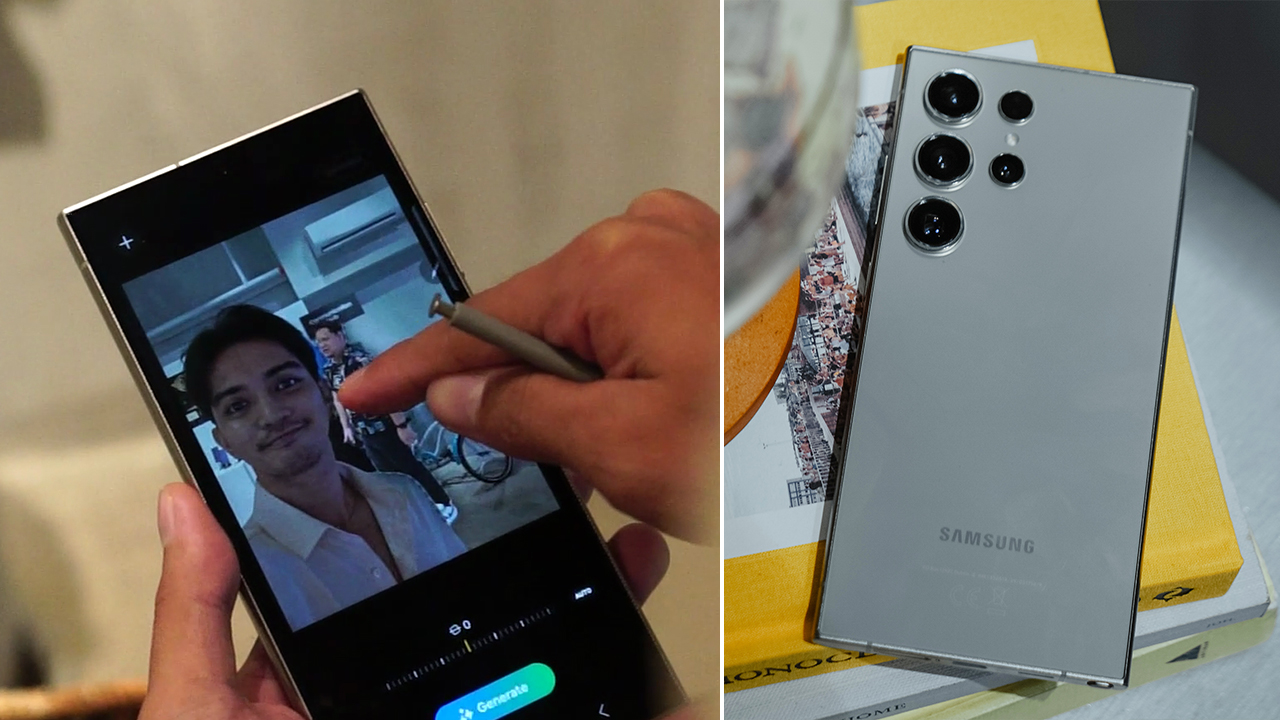
Samsung Photo Assist
This is a feature for Samsung users that allows you to edit photos using AI. For example, you can sketch an image and it’ll be filled in with what you want (see photo above). Generative edit allows for objects to be moved around in the photo while the background is filled in, and smart erase lets you delete any unwanted parts of a photo. There’s also a filter feature that changes anything into a cartoon character.
This feature could be really helpful for editing photos, like taking people out of the background. Honestly, this is a very good quality of life feature that I wish was added to Apple so I could use it, but unfortunately it’s not.

Youtube Analyzer
This is basically a way to summarize Youtube videos using AI quickly. Some of these tools also can generate mind maps, quizzes, and allow you to ask questions about the video. They’re like interactive study partners.
I can see myself using this if I don’t want to rewatch a very long video for a short snippet I actually need to know. It would make researching things more efficient and easier for me, while not doing it for me. Also, it could clear up some things I might have about some videos and help me reach a deeper understanding of it.

Google Docs Help Me Create
Google Docs added an AI feature that creates a document layout, including tables, dropdown menus, and more according to what the prompt asked for. It also allows for related documents to be added in for more context. Then, it will generate many different styles to choose from and a cover image.
This allows for people to skip doing formatting or at least get good ideas, but doesn’t do everything for them. It can’t fill in information, just give you a template to start working on. I like this new feature, it speeds up the process of doing some assignments and helps me refine it.

Google Lens
Google Lens allows you to “search what you see” using AI. It can give you an overview of a photo taken by your camera, identify and tell you about things like plants, animals, art, and products, translate languages, help with tasks, and let you ask specific questions about an image. You can also search something up from an image.
This helps me when I’m on vacation in a foreign country and want clarification. It’s very useful in my life, and I find myself using it often. Having it to learn new information about the world around me is really nice.

Apple Music
They recently introduced a new AI feature: playlist generation. It creates a playlist based off of any text prompt, whether it be a specific mood, vibe, or activity. It also considers the person’s music taste while generating the playlist, so it matches what they would actually want to listen to.
Music usually helps me study, and sometimes I don’t want to take the time to create my own playlist or find one that might not fit my tastes. Because of that, this is really useful to me and I would use this in the near future. This can help me focus while I do my work, and also let me take less time deciding what to listen to.
My Halloween Project
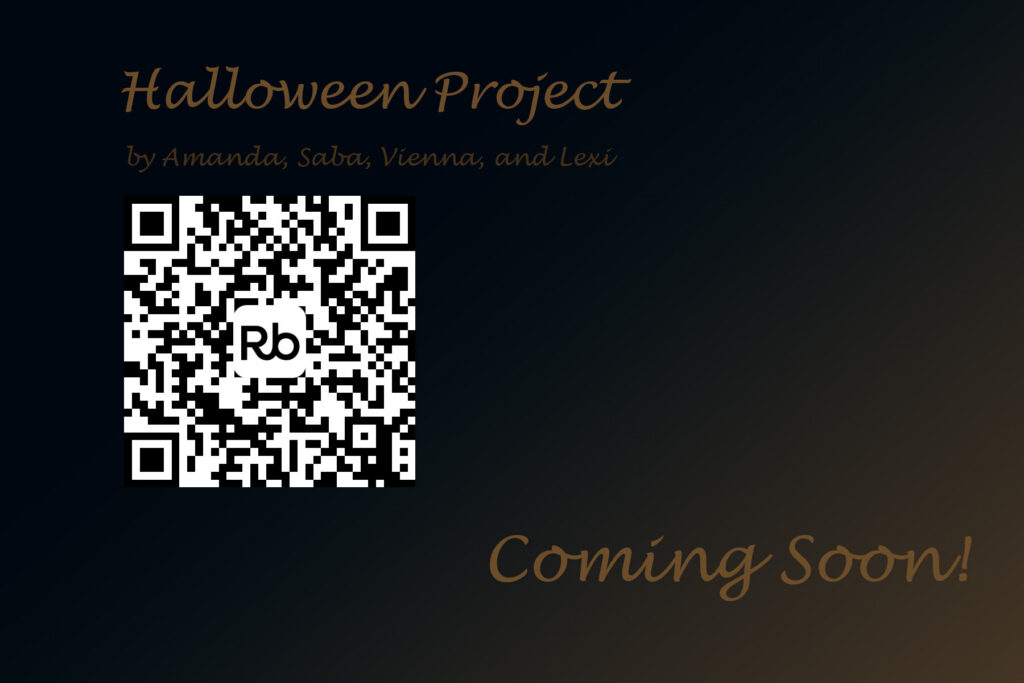
This was my poster for our Halloween project with the QR code leading to a drive with all of our submissions.
This was our Halloween Movie, “Don’t Blink”, created by me, Saba, Vienna, Lexi, and Hailey. Great memories. Enjoy!
Please note that the video itself is too large to actually upload onto this website, so click the button to access it.
This is the trailer I created for our Halloween movie, “Don’t Blink” using Premiere Pro.
Additional Submission - Video Essay
My extending submission for my portfolio is a project we did in English class-a video essay on a Disney film (I chose Zootopia). We followed step by step instructions for the process, but the editing was mostly up to us. In this project, I used the Premiere Pro editing skills I gained in doing the Halloween movie and trailer and applied them here.
Christmas Motion Capture

A project we did for Christmas was to create a video of a motion capture face we altered ourselves with the help of AI. The video above is me playing with the expressions of the face. The image shows a screenshot of it in Photoshop.
Group Website - Maple Cafe
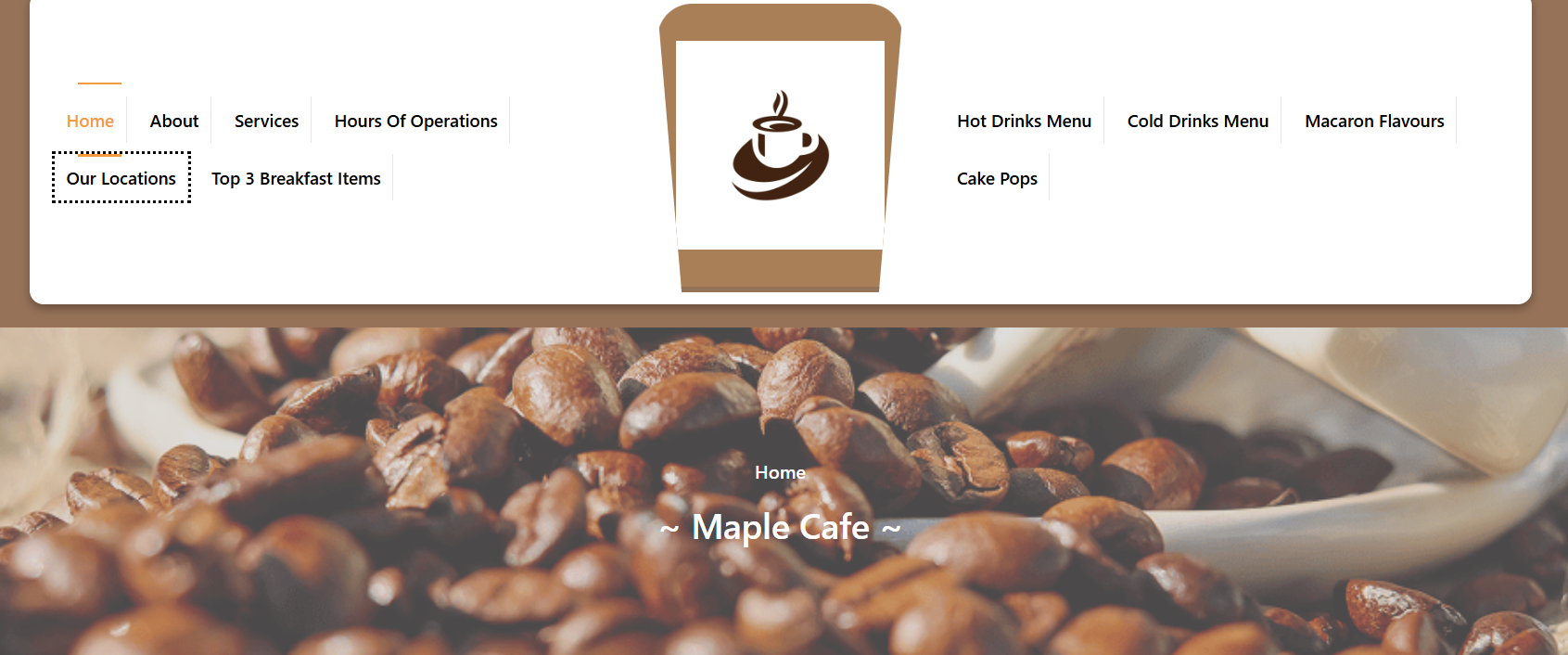

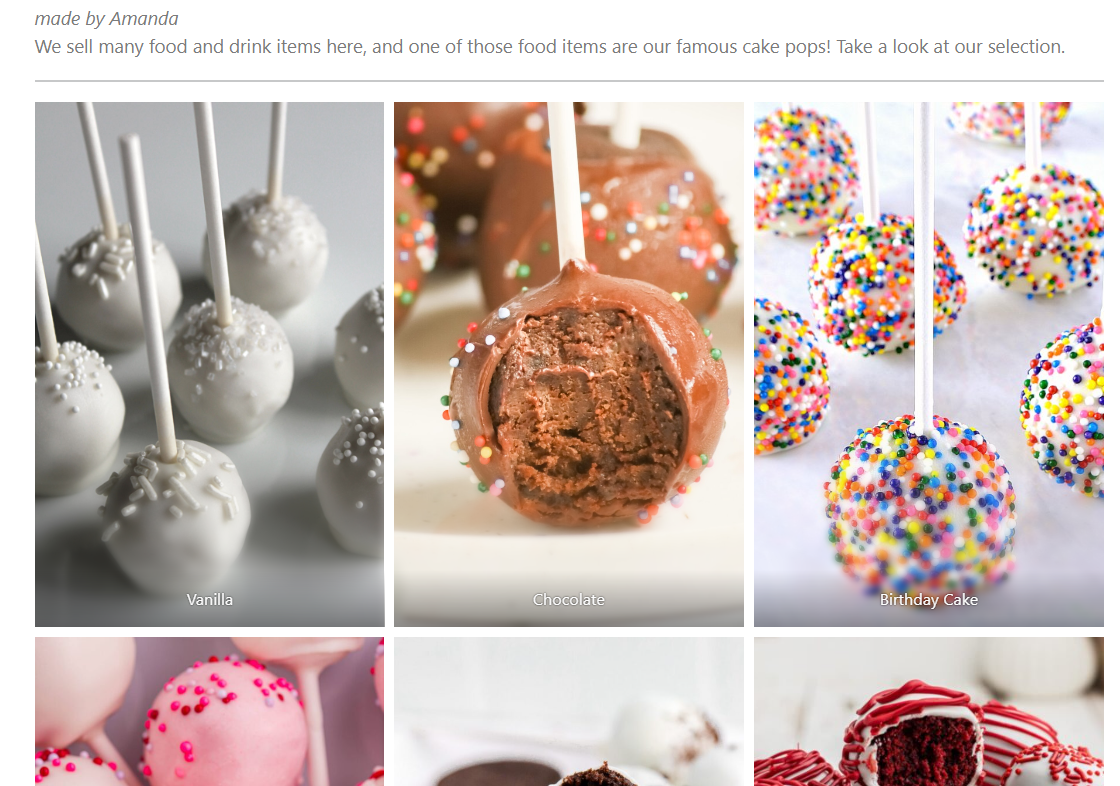

This is our group website – the Maple Cafe, created by me, Lexi, Saba, and Vienna. We created three pages each. The gallery shows some images of what the pages look like.
NHL Predictions
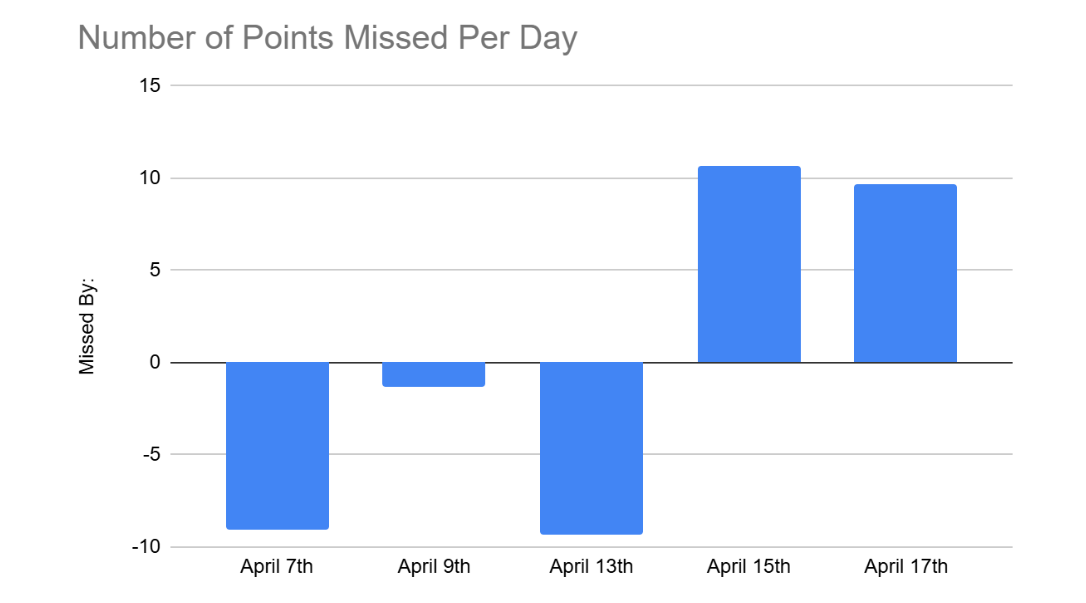
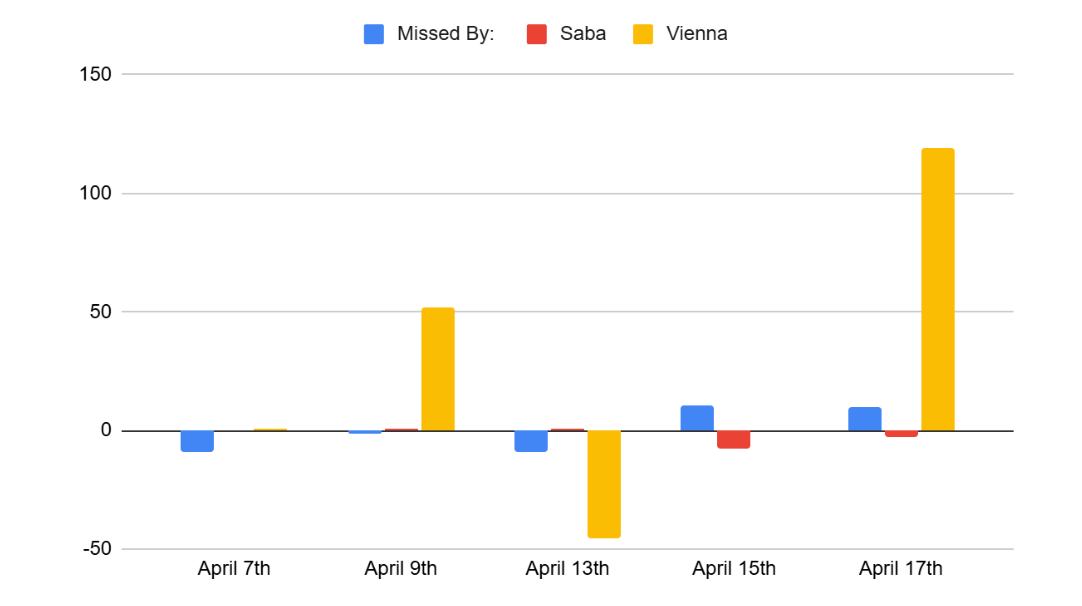
During the year, we did an NHL predictions unit, where we would use google sheets to predict the points the players would score and then compare those predictions to their actual points. These screenshots from my slideshow show me and my friends’s prediction data accuracy through a bar graph.
Sheets Link:
https://docs.google.com/spreadsheets/d/1JXg3gVtWH4gZ-b3NwaD3YcBQVmoOrZNfcg07uH8swAs/edit
Slides Link: